How Does the Internet Work? A Simple Explanation of the Global Network
The Internet works by connecting billions of devices worldwide into a single network, where data is broken into small packets, routed efficiently across various paths using IP addresses, and reliably reassembled at its destination using standardized protocols. It is not a single entity but a «network of networks»—a decentralized global system built on cooperation and shared rules. This article will demystify the journey of a simple webpage request, explaining the key concepts—packets, IP addresses, routers, DNS, and protocols—that make the digital world tick.
The Core Principle: Packet-Switching and Protocols
Imagine sending a long letter by tearing it into postcard-sized pieces, mailing each piece separately via different postal routes (whichever is fastest at that moment), and having the recipient reassemble them. That’s the essence of packet-switching, the Internet’s fundamental method. The rules for how these «postcards» are formatted, addressed, sent, and received are called protocols (like TCP/IP).
The Journey of a Webpage: From Click to Screen
Let’s trace what happens when you type https://www.example.com into your browser and press Enter.
Step 1: The DNS Lookup – From Name to Number
Your computer doesn’t understand human-friendly domain names like www.example.com. It needs a numerical IP address (e.g., 93.184.216.34), the Internet’s equivalent of a street address.
- Your browser asks the DNS (Domain Name System), the Internet’s phonebook.
- The query travels from your ISP’s DNS server up a hierarchy of servers until it finds the authoritative one for
.comand thenexample.com. - The IP address is returned to your browser. This happens in milliseconds.
Step 2: Initiating the Connection – TCP Handshake
Your computer (the client) now knows the web server’s address. Before sending data, they establish a reliable connection using the Transmission Control Protocol (TCP) via a «three-way handshake»:
- SYN: Client: «Hello server, can we talk?»
- SYN-ACK: Server: «Yes, I’m ready to talk.»
- ACK: Client: «Great, let’s start.»
This ensures both sides are ready for communication.
Step 3: Sending the Request – Breaking into Packets
Your browser’s request («Send me the homepage of example.com») is broken into small data packets. Each packet gets a «header» with crucial info:
- Source & Destination IP Address
- Sequence Number (for reassembly)
- Protocol information
Packets are sent independently, not necessarily in order.
Step 4: The Journey – Routers and the Network of Networks
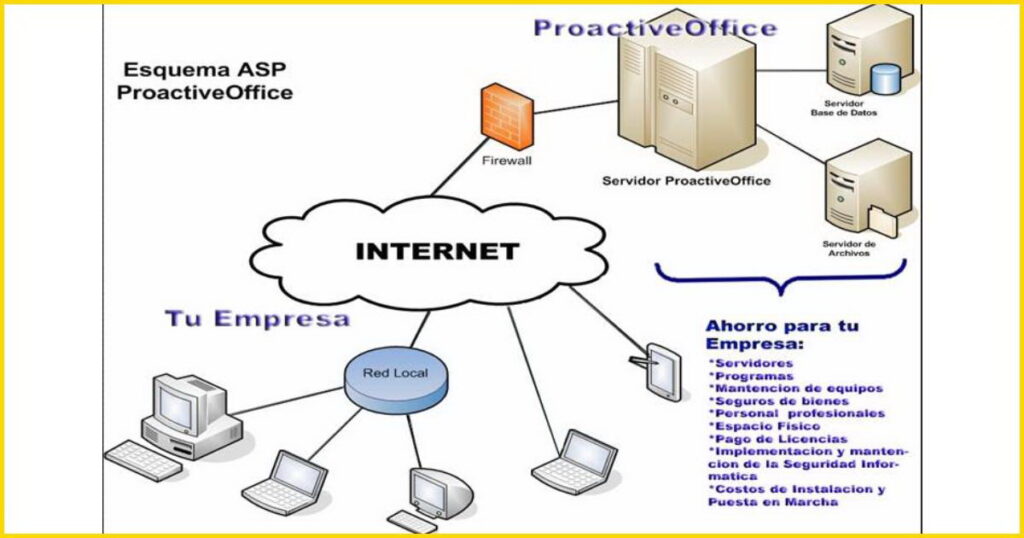
- Your home router receives the packets and sends them to your Internet Service Provider (ISP).
- The ISP’s network connects to larger backbone networks and Internet Exchange Points (IXPs)—the major crossroads of the Internet.
- Routers are the traffic directors at every junction. Each router examines a packet’s destination IP and uses routing tables to decide the «next hop» along the fastest available path. This dynamic routing allows the network to be resilient—if one path is congested or down, packets take another route.
Step 5: Arrival and Response – The Server’s Role
The packets eventually all arrive at the server hosting example.com. The server’s TCP stack uses the sequence numbers to reassemble the original request. The web server software (like Apache or Nginx) processes the request, fetches the necessary files (HTML, CSS, images), and prepares a response.
Step 6: The Return Trip – Sending the Webpage
The server breaks the webpage data into its own set of packets, addressed back to your computer’s IP. They make the return journey through the network, possibly via different paths. Your computer’s TCP stack reassembles them, checks for missing packets (requesting retransmission if needed), and hands the data to your browser.
Step 7: Rendering – The Browser’s Job
Your browser interprets the HTML code, applies the CSS styles, executes JavaScript, and displays the fully rendered webpage on your screen. The entire process often takes less than a second.
Key Technologies and Concepts Explained
Key Internet Protocols & Their Roles
| Protocol | Full Name | Primary Function | Analogy |
|---|---|---|---|
| IP | Internet Protocol | Addressing & routing packets to the correct destination | Putting the correct street address on a letter |
| TCP | Transmission Control Protocol | Reliable delivery, packet ordering, retransmission | Certified mail with tracking and confirmation |
| UDP | User Datagram Protocol | Fast, connectionless transmission (no guarantee) | Sending a postcard — faster but might get lost |
| DNS | Domain Name System | Translates domain names → IP addresses | Phonebook or contact list on your phone |
| HTTP | Hypertext Transfer Protocol | Web browser ↔ web server communication | The language web pages speak |
| HTTPS | HTTP Secure (SSL/TLS) | Encrypted web communication | A sealed, tamper-proof envelope |
Table: Core protocols of the Internet and their real‑world analogies.
- IP Address (Internet Protocol): A unique numerical label assigned to every device on a network. IPv4 (e.g.,
192.168.1.1) is the older, widely used standard. IPv6 (e.g.,2001:0db8:85a3::8a2e:0370:7334) is its much larger successor, providing trillions more addresses. - Router: A specialized device that forwards data packets between different networks. It is the «post office» of the Internet, making decisions based on IP addresses.
- ISP (Internet Service Provider): The company that provides you with access to the Internet (e.g., Comcast, Verizon, Deutsche Telekom). They connect your home network to the global Internet backbone.
- Protocol Suite (TCP/IP): The fundamental rules of the Internet.
- IP is responsible for addressing and routing (getting packets to the right city).
- TCP is responsible for reliable delivery (ensuring all packets arrive and are in order). UDP is a faster, less reliable alternative used for video calls and games.
- DNS (Domain Name System): The distributed directory that translates human-readable domain names into machine-readable IP addresses.
- HTTP/HTTPS (Hypertext Transfer Protocol/Secure): The application-layer protocol defining how web browsers and servers communicate. HTTPS adds a layer of encryption (SSL/TLS) to protect data in transit.
How the Internet Is Layered: The OSI Model Simplified
| Layer | OSI Name | Internet Protocol Suite Example | What Happens Here (from our article) |
|---|---|---|---|
| 1 | Physical | Ethernet, Fiber, Radio | Undersea cables, fiber-optic backbones, Wi‑Fi radio waves, cell towers, satellites |
| 2 | Data Link | Wi‑Fi (802.11), Ethernet | Your router connects to your device — either through a cable or wirelessly |
| 3 | Network | IP (IPv4 / IPv6) | Packet addressing & routing across different networks. Routers work here |
| 4 | Transport | TCP / UDP | TCP ensures reliable delivery with packet ordering. UDP offers faster, connectionless transmission |
| 5-7 | Session, Presentation, Application | HTTP/HTTPS, DNS | Web browsing (HTTP), secure encryption (HTTPS), domain name lookups (DNS) |
Table: How the Internet’s protocols map to the classic OSI networking model.
The Internet’s Physical Layer: Cables, Towers, and Satellites
The «virtual» network runs on a very physical infrastructure:
- Undersea Cables: Thick fiber-optic cables on ocean floors carry ~99% of international data.
- Fiber-Optic Backbones: High-speed glass fibers form the core terrestrial networks, transmitting data as pulses of light.
- Cell Towers & Wi-Fi: Provide wireless «last-mile» connectivity using radio waves.
- Satellites: Provide connectivity to remote areas.
Frequently Asked Questions (FAQ)
What’s the difference between the Internet and the World Wide Web?
This is a crucial distinction. The Internet is the global infrastructure of interconnected networks (the «hardware» and low-level protocols). The World Wide Web (WWW) is a service that runs on top of the Internet—a system of interlinked hypertext documents (websites) accessed via browsers using HTTP. Email, online gaming, and streaming also use the Internet but are not the Web.
How does Wi-Fi fit into this?
Wi-Fi is simply a wireless method to connect your device (laptop, phone) to your local router. It replaces the Ethernet cable for the «last meter.» Once connected to the router, your device accesses the Internet exactly as if it were wired.
Is the Internet centralized? Who owns it?
No single entity owns the Internet. It is a decentralized collection of independent networks (ISPs, companies, universities, governments) that agree to interconnect and use common protocols. Organizations like ICANN (manages domain names and IP addresses) and the IETF (develops open standards) provide crucial coordination.
What is «the cloud»?
«The cloud» is not a physical place. It refers to remote servers owned and operated by companies like Amazon (AWS), Microsoft (Azure), and Google, accessed over the Internet. Instead of storing files or running software on your local computer, you use their resources via the network. It’s essentially «someone else’s computer, managed professionally, accessible from anywhere.»
How is my data kept secure?
Encryption is the primary tool. HTTPS (the padlock in your browser) encrypts data between you and a website. VPNs (Virtual Private Networks) create an encrypted tunnel to another network. Protocols like SSL/TLS ensure that even if packets are intercepted, they cannot be read without the encryption key.
(Conclusion)
The Internet is a masterpiece of distributed engineering, built on the simple yet powerful idea of packet-switching and governed by open protocols like TCP/IP. It transforms a chaotic web of physical cables and wireless signals into a coherent system where a click in one hemisphere can retrieve information from another in a fraction of a second. By understanding the roles of DNS, routers, and IP addresses, we see it not as magic, but as a meticulously coordinated logistics network for data. From its military-academic origins to the global societal nervous system it is today, the Internet stands as a testament to human collaboration, proving that standardized rules can create unparalleled freedom and innovation in communication.